Sense & Scale

A site to explore cultures, cities, and computing at varying senses and scales. Updated by Ar Ducao, with content from classes at NYU, MIT, CUNY and more.

Contact: see syllabi

  • I ordered a 3D printer kit about two months ago. It’s been quite a journey! Main steps (will flesh this out soon) Back and forth with 3dPrintersOnline.com Assembling the mechanical body. See annotated assembly guide. Hooking up the main board. Extending some of the wires by soldering additional length. Fixing…
    I ordered a 3D printer kit about two months ago. It’s been quite a journey! Main steps (will flesh this out soon)
    • Back and forth with 3dPrintersOnline.com
    • Assembling the mechanical body. See annotated assembly guide.
    • Hooking up the main board. Extending some of the wires by soldering additional length.
    • Fixing e-stop soldering.
    • Careful about power!
    • Thermistor issues.
    • Firmware issues.
    • Trying to do a dry-run; switching to Repetier Host.
    • Homing issues. Y-band breaks.
    • Checking thermistor. 6k connected to the board; 100k disconnected from the board.


    https://duckduckgo.com/?q=migbot&t=ffab&ia=images

    Electron Printers: http://www.electron3dprinter.com/

    Electron Mix G3: https://www.3dprintersonlinestore.com/electron-mix-g3-3d-printer-kit

    firmware for MKS Base: http://forums.reprap.org/feed.php?146,472067,type=rss

    Marlin on github: https://github.com/MarlinFirmware/Marlin/wiki/Supported-Hardware#LCD_Controllers

    RAMPS 1.4: http://reprap.org/wiki/RAMPS_1.4

    Marlin setup guide: http://airtripper.com/1145/marlin-firmware-v1-basic-configuration-set-up-guide/

    reprap thermistors: http://reprap.org/wiki/Thermistor

    installing a new thermistor: http://zennmaster.com/random-things/reprap-101-using-silicate-based-putty-to-install-a-thermistor-in-a-hotend

    reprap thermistor issues: http://forums.reprap.org/read.php?279,249052

    http://wiki.ultimaker.com/Installing_Cura_on_Linux (baud rate)


    — MKS Base—

    http://reprap.org/wiki/MKS_BASE

    http://www.cubic-print.com/MKS-BASE-SET_EN

    http://reprap.org/wiki/RepRapDiscount_Smart_Controller

    http://www.reprapshop.us/product/lcd-control-panel/

    + ,
  • Announcements Welcome to “Made in the Machine” Agenda 3:30-4:15 Intros and Syllabus 4:15-5:15 Lecture and Discussion 5:15-6:00 Craft Room Overview 6:00-6:20 Assignments and office hours for next week Monday, Assignments for Feb 11 This week: Explore the Craft Room. Determine what kinds of materials you need for each machine. Set…

    Announcements

    • Welcome to “Made in the Machine”

    Agenda

    Assignments for Feb 11

    • This week:
      • Explore the Craft Room.
      • Determine what kinds of materials you need for each machine.
      • Set up a blog if you haven’t already, with a category for this class.
    • By Feb 4:
      • Pick a machine to focus on for the next few weeks.
      • Draft a Process Example for your chosen machine and post it to your blog. Like the RepRap example in the lecture slides, this should include
        • A product comparison
        • A simple structural flowchart
        • Popular models of this type of machine
        • Important terms
        • A discussion of its usage, licensing, IP issues, forums, etc.
    • By Feb 11:
      • Run through a tutorial for your chosen machine and make a simple test project.
      • Document the project on your blog. Include usage tips and reflections on the process. Your post should include
        • An image of your project
        • A list of the materials and resources you used
        • Challenges you encountered
        • Thoughts on next steps
    + , ,
  • Made in the Machine: New Cultural Practices, Critical Analyses, and Techniques in Digital Fabrication, Making, and Manufacturing DM-GY 9103, Spring 2016 Prof. Arlene Ducao, arlduc [at] nyu.edu Thursdays, 3:30-6:20 PM 2 Metrotech Center, Room 817 Overview Recent innovations in digital fabrication have made its technologies much more cheap, sophisticated, and…

    Made in the Machine: New Cultural Practices, Critical Analyses, and Techniques in Digital Fabrication, Making, and Manufacturing


    DM-GY 9103, Spring 2016
    Prof. Arlene Ducao, arlduc [at] nyu.edu
    Thursdays, 3:30-6:20 PM
    2 Metrotech Center, Room 817

    Overview

    Recent innovations in digital fabrication have made its technologies much more cheap, sophisticated, and accessible for people of many ages and experiences. In this class, we will explore some of these innovations, the techniques and affordances that they enable, and the future directions that they imply. This will be a project-based class, but as much emphasis will be put on cultural and critical analysis as on technical learning. Class sessions will involve case studies, guest speakers, site visits, and discussion of fabrication methodologies.

    Prerequisites: An interest in digital fabrication and its impact on the fabric of society. Basic experience with a fabrication technology or system is recommended, but not required. Examples include:

    • 3D printing
    • Digital cutting (laser, waterjet, vinyl, etc)
    • CNC milling
    • CNC routing
    • Digital wire bending
    • Computational sewing or knitting
    • Mass or contract manufacturing (OEMs, ODMs, etc)

    Learning Goals

    1. Learn one or more new digital fabrication technique(s) to understand the experiential context of fabrication. Deliverable: fabricate a simple object and write a short reflection piece.
    2. Examine and critique modes of machine production in a socio-historical setting. Deliverable: write a 2000-word research paper or piece of creative nonfiction.
    3. Combine goals 1 and 2 to explore, via your own personal history and culture, new and emerging trends in digital fabrication at multiple scales. Deliverable: To be discussed in class.

    Class Format (Flexible)

    • First part (60-90 minutes): Lecture, discussion, critique.
    • Second part (90-110 minutes): Hands-on building & testing.


    Schedule

    Guests and site visits are subject to change.

    Prologue
    • Session 1, January 28: Overview and Introductions.
    • NO CLASS on Feb 4. I’ll hold office hours on Feb 1 and/or 2.
    Phase I: Let’s Fab
    • Session 2, February 11: Deep Dives
    • Session 3, February 18: New Tech in Fab. Guest speaker: Lining Yao, MIT.
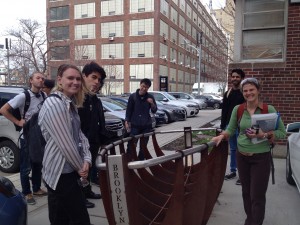
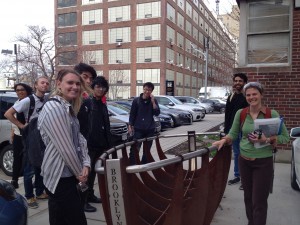
    • Session 4, February 25: Industry City Site Visit. Address: 220 36th Street, Brooklyn
    • Session 5, March 3: Part I Project Presentations
    Phase II: Socioeconomic Histories of Fabrication
    • Session 6, March 10: From the Industrial Revolution to the Maker Movement and Beyond. Guest speaker: Shuyang Zhou, Seeed Studios.
    • SPRING BREAK, March 17.
    • Session 7, March 24: A closer look at globalization. Guest speakers: bunnie Huang, bunniestudios, Jie Qi, MIT.
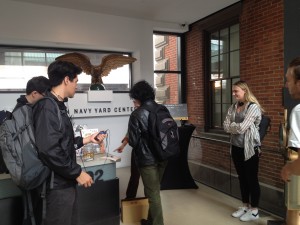
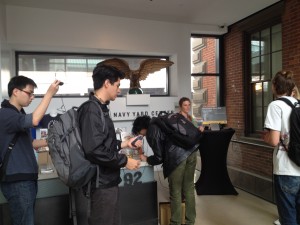
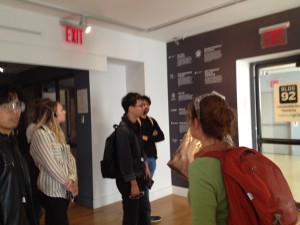
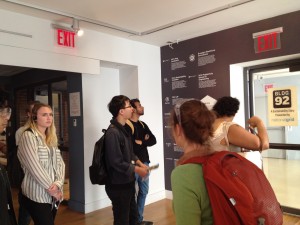
    • Session 8, March 31: Field trip to Brooklyn Navy Yard.
    • Session 9, April 7: Part II Paper Presentations
    Phase III: Fabrication as Cultural Study
    • Session 10, April 14: Making Things, Making Meanings
    • Session 11, April 21: Guest Speaker: Auto-ethnographies in Fabrication. Guest speaker: Vernelle Noel, Penn State.
    • Session 12, April 28: Guest Speaker: Manufacturing with Awareness
    • Session 13, May 5: Part III Final Presentations

    Recommended Books (to be discussed in Class 1)

    Making and Makers
    • To Forgive Design: Understanding Failure by Henry Petroski
    • Invention by Design; How Engineers Get from Thought to Thing by Henry Petroski
    • Makers: The New Industrial Revolution by Chris Anderson
    • The Maker Movement Manifesto: Rules for Innovation in the New World of Crafters, Hackers, and Tinkerers by Mark Hatch
    • Invent To Learn: Making, Tinkering, and Engineering in the Classroom by Sylvia Libow Martinez
    • Design, Make, Play: Growing the Next Generation of STEM Innovators by Margaret Honey
    • The Maker’s Manual: A Practical Guide to the New Industrial Revolution by Paolo Aliverti
    • Fabricated: The New World of 3D Printing by Hod Lipson
    • Fab: The Coming Revolution on Your Desktop–from Personal Computers to Personal Fabrication by Neil Gershenfeld
    • Stuff Matters: Exploring the Marvelous Materials That Shape Our Man-Made World by Mark Miodownik
    • Fabrication Engineering at the Micro- and Nanoscale: Fourth Edition by Stephen A. Campbell
    • Engineering: A Beginner’s Guide by Natasha McCarthy
    Cultures and Histories of Making, Manufacturing, and Engineering
    • The Machine in the Garden: Technology and the Pastoral Ideal in America by Leo Marx
    • The Illusions of Entrepreneurship: The Costly Myths That Entrepreneurs, Investors, and Policy Makers Live By by Scott A. Shane
    • Race, Rigor, and Selectivity in U.S. Engineering: The History of an Occupational Color Line by Amy E. Slaton
    • America’s Assembly Line by David E. Nye
    • America as Second Creation: Technology and Narratives of New Beginnings by David E. Nye
    • Electrifying America: Social Meanings of a New Technology, 1880-1940 by David E. Nye
    • Making Technology Masculine: Men, Women, and Modern Machines in America, 1870-1945 by Ruth Oldenziel
    • More Work For Mother: The Ironies Of Household Technology From The Open Hearth To The Microwave by Ruth Schwartz Cowan
    • Does Technology Drive History? The Dilemma of Technological Determinism by Merritt Roe Smith
    • On the Outskirts of Engineering: Learning Identity, Gender, and Power via Engineering Practice by Karen L. Tonso
    • Dominance by Design: Technological Imperatives and America’s Civilizing Mission by Michael Adas
    • Girls Coming to Tech!: A History of American Engineering Education for Women by Amy Sue Bix
    • American Technological Sublime by David E. Nye
    • Technology Choices: Why Occupations Differ in Their Embrace of New Technology By Diane E. Bailey and Paul M. Leonardi
    • Technology, Globalization, and Sustainable Development: Transforming the Industrial State by Nicholas A. Ashford and Ralph P. Hall
    • The Citizen’s Share: Reducing Inequality in the 21st Century by Joseph R. Blasi, Richard B. Freeman, and Douglas L. Kruse
    • One World: The Ethics of Globalization, Second Edition by Peter Singer

    Office Hours

    Thursday by appointment. E-mail arlduc [at] nyu.edu to make an appointment.

    Grading

    • 20% Phase 1 Project: Demonstration of prototype & brief write-up.
    • 20% Phase 2 Paper: Research article & MLA-formatted bibliography.
    • 25% Phase 3 Final: An ethnographic project drawing on skills and concepts developed in Phase 1 and 2.
    • 20% Class participation.
    • 15% Blog posts based on class discussion and project development. At least nine posts are required for the semester (three posts per class phase).
    • Encouraged extra credit options:
      • Expanded blogging
      • Video documentation
      • Project web site
      • Conference paper

    Attendance

    Attendance to all class sessions is mandatory. Class starts at 3:30 sharp. Excused absence requests, i.e. for a religious holiday or a conference, must be made at least 3 business days ahead of the scheduled absence. Emergency absences must be accompanied by official documentation, i.e. a doctor’s note or MTA notice. One letter grade drop will occur for every two unexcused late arrivals or one unexcused absence. For additional NYU School of Engineering Academic Policies and Requirements, please consult this link.

    Moses Statement

    If you are student with a disability who is requesting accommodations, please contact New York University’s Moses Center for Students with Disabilities at 212-998-4980 or mosescsd@nyu.edu.  You must be registered with CSD to receive accommodations.  Information about the Moses Center can be found at www.nyu.edu/csd. The Moses Center is located at 726 Broadway on the 2nd floor.
    + , ,
  • Use the links on this page to start thinking about the machines in the craft room, to help you decide which machine(s) you’d like to use, and to help you prepare the bill of materials (BOM) that you’ll need to get started on these machines.   Printers Epson Artisan 1430…

    Use the links on this page to start thinking about the machines in the craft room, to help you decide which machine(s) you’d like to use, and to help you prepare the bill of materials (BOM) that you’ll need to get started on these machines.


    Printers

    Epson Artisan 1430 Documentation
    Epson SureColor T5000 Documentation


    Desktop Mill/Router

    OtherMill Overview
    OtherPlan Software
    OtherMill Tutorial

    Tips:

    • get F1 copper board for the tutorial
    • use 1/32 endmill (should be on top of machine)
    • adhere using double-sided tape
    • get started! Each round takes about 20 minutes


    Vinyl / Paper Cutter

    Silhouette Curio Overview
    Silhouette Curio Manual
    Silhouette Curio Software (sample files will download when you connect your computer to the machine)

    Tips:

    • get craft paper (post-its are good) or vinyl
    • connect machine to download sample designs
    • adhere craft paper
    • modify cut settings
    • modify emboss settings
    • modify matte/board settings
    • send to Silhouette


    Sewing Machine

    Singer Heavy Duty 4423 Overview
    Singer Heavy Duty 4423 Manual


    3D Printer

    Ultimaker 2 Manual
    Ultimaker 2 Tutorial
    Ultimaker 2 Software


    Laser Cutter

    Epilog Laser Mini Manual 1, Manual 2
    Epilog Laser How it Works
    Epilog Laser How to Use
    Epilog Laser Acceptable Materials


    Drill Press

    Palmgren Drill Press Overview
    Palmgren Drill Press Manual
    Palmgren Drill Press Drill Press Tutorial


    Craft Room Training

    Trainings to for the Fab Lab will start next Tuesday and run three times a week. The training will cover how to safely use the laser cutter, 3D printers, CNC machine, vinyl cutter, and InkJet printers as well as the materials and general rules of the space. Upon completion you will have key card access to the room. https://docs.google.com/spreadsheets/d/1j7vkNCN4N_O0CL_M6kEKGubwhisbQbqf6MpJI9Gt8DE/edit#gid=0

    Other 3d printing resources at NYU

    + , , ,
  • MIT Workshop: Physical Computing, Prototyping, Cities, and Selves: A Day-long Hackathon When: Monday, Jan 11, 10AM-4PM. Where: Room 9-451 (Map) Please bring – A laptop – Your favorite microcontroller module (ie an Arduino) + a cable to connect it to your laptop – Optional: your smartphone + a cable to…

    MIT Workshop: Physical Computing, Prototyping, Cities, and Selves: A Day-long Hackathon
    When: Monday, Jan 11, 10AM-4PM.
    Where: Room 9-451 (Map)

    Please bring
    – A laptop
    – Your favorite microcontroller module (ie an Arduino) + a cable to connect it to your laptop
    – Optional: your smartphone + a cable to connect it to your laptop (for BLE development)

    Also, before Monday, try to install all the software related to your hardware (ie Arduino IDE, Xcode, etc). I’ll provide a few dozen sensors for you to try. I also have a few BLE boards if you want to try connecting your module to your phone.


    Rough Agenda:

    • 10:00: Intros
      • Your name and department (if applicable)
      • Your experience with physical computing
      • What you want to do today
    • 10:30: Overview Presentation
    • 11:00: Overview of Tools (roundtable discussion & experimentation). I’ll briefly discuss the tools I’m bringing and providing tech support for: Arduino, various sensors, and iOS. If you are bringing other tools and want to share your knowledge of how to use them, I welcome you to do so at this time.
    • 12:00: Experiment with your tools. Connect a sensor to collect data!
    • 01:00: Check-in. Put together a sketch or slide on how your module would provide insight for cities and/or selves.
    • 02:00: Check-in. Wrap-up your experiment.
    • 02:30: Presentations, Refreshments, Group Vote, (small) Prizes
    • 03:30: Deconstruct your modules, return borrowed tools, and provide feedback.
    • 04:00: End of Session


    Notes from the Session

    • Participants (in abc order): Arlene Ducao, David Hsu, Colleen Kaman, Chris Willard, Francesco Wiedeman, and You Wu.
    • First activity: Setting up the Arduino with an analog sensor (potentiometer) and LED.
    • You Wu introduced the board he currently uses for prototyping: Particle.io’s Photon.
    • Sensor experiments: tilt sensor, pulse sensor, DHT22 temperature sensor, Adafruit GPS logger shield. I need to do some maintenance on the logger shield materials–they weren’t working properly.
    • Chris also set up his Raspberry Pi as an audio module.
    • Since our group was small, a “hackathon” didn’t make much sense. Working together was more fun and interesting.
    + ,
  •   More hardware stuff: Adafruit BLE breakout to the iPhone. Further practice (zip file). Set up a GPS/SD logger shield (arduino sketch). Pulse Plus GPS/SD logger Simple Demo 1 Simple Demo 2 Optional voltron time. Another useful resource: Instructables.com. Small batch PCB: https://oshpark.com/, http://www.smallbatchassembly.com/ (best small batch prices as of 2014) A bit more…


    + , ,
  • Slideshows on Contexts: HCI sub-fields. Prototyping considerations. Overview of prototyping platforms. Physical Computing. Arduino. Quick Start Guide. Dummies guide. Suppliers. Overview of mobile platforms (developer/designer perspective, business perspective). iOS intro. Arlene’s iOS/BLE/Sensor Crash Course. Lab: Digital I/O with Arduino.  

    + , ,
  • SENSOR LIST SparkFun Infrared Proximity Breakout – VCNL4000 BOB-10901 Optical Dust Sensor – GP2Y1010AU0F COM-09689 Vibration Motor ROB-08449   Alcohol Gas Sensor – MQ-3 SEN-08880 Piezo Vibration Sensor – Small Horizontal SEN-09198 Carbon Monoxide Sensor – MQ-7 SEN-09403 Methane CNG Gas Sensor – MQ-4 SEN-09404 LPG Gas Sensor – MQ-6…

    SENSOR LIST

    SparkFun Infrared Proximity Breakout – VCNL4000
    BOB-10901
    Optical Dust Sensor – GP2Y1010AU0F
    COM-09689
    Vibration Motor
    ROB-08449
      Alcohol Gas Sensor – MQ-3
    SEN-08880
    Piezo Vibration Sensor – Small Horizontal
    SEN-09198
    Carbon Monoxide Sensor – MQ-7
    SEN-09403
    Methane CNG Gas Sensor – MQ-4
    SEN-09404
    LPG Gas Sensor – MQ-6
    SEN-09405
    SparkFun Capacitive Touch Sensor Breakout – MPR121
    SEN-09695
    Load Sensor – 50kg
    SEN-10245
    Piezo Element
    SEN-10293
    Hydrogen Gas Sensor – MQ-8
    SEN-10916
     Anemometer Wind Speed Sensor w/Analog Voltage Output
     Fast Vibration Sensor Switch (Easy to trigger)
      Slow Vibration Sensor Switch (Hard to trigger)
      DHT22 temperature-humidity sensor + extras
      Pulse Sensor Amped
      Contact-less Infrared Thermopile Sensor Breakout – TMP007
    • 1xSmall passive buzzer module KY-006
    • 1×2-color LED module KY-011
    • 1xHit sensor module KY-031
    • 1xVibration switch module KY-002
    • 1xPhoto resistor module KY-018
    • 1xKey switch module KY-004
    • 1xTilt switch module KY-020
    • 1×3-color full-color LED SMD modules KY-009
    • 1xInfrared emission sensor module KY-005
    • 1×3-color LED module KY-016
    • 1xMercury open optical module KY-017
    • 1xYin Yi 2-color LED module 3MM KY-029
    • 1xActive buzzer module KY-012
    • 1xTemperature sensor module KY-013
    • 1xAutomatic flashing colorful LED module KY-034
    • 1xMini magnetic reed modules KY-021
    • 1xHall magnetic sensor module KY-003
    • 1xInfrared sensor receiver module KY-022
    • 1xClass Bihor magnetic sensor KY-035
    • 1xMagic light cup module KY-027
    • 1xRotary encoder module KY-040
    • 1xOptical broken module KY-010
    • 1xDetect the heartbeat module KY-039
    • 1xReed module KY-025
    • 1xObstacle avoidance sensor module KY-032
    • 1xHunt sensor module KY-033
    • 1xMicrophone sound sensor module KY-038
    • 1xLaser sensor module KY-008
    • 1x5V relay module KY-019
    • 1xTemperature sensor module KY-001
    • 1xTemperature sensor module KY-028
    • 1xLinear magnetic Hall sensors KY-024
    • 1xFlame sensor module KY-026
    • 1xSensitive microphone sensor module KY-037
    • 1xTemperature and humidity sensor module KY-015
    • 1xXY-axis joystick module KY-023
    • 1xMetal touch sensor module KY-036
    + , , ,
  • in alphabetical order Spencer Cappiello Sarah Groff-Palermo Ansh Patel Rewant Prakash Tianyu Ren Francesca Socolick Anna Stassen Alexis Traviso  

    + , ,
  • Announcements No break in this session. Please feel free to get up and use the restroom and/or get refreshments as needed. Reminder: Final Grade Checklist, see below Lower Eastside Girls Club looking for mentors in web programming, physical computing, and Unity/3d/Planetarium programming Agenda 6:30-6:40 Announcements and Intros 6:40-7:05 Global Climate Change (Patrick &…

    Announcements

    • No break in this session. Please feel free to get up and use the restroom and/or get refreshments as needed.
    • Reminder: Final Grade Checklist, see below
    • Lower Eastside Girls Club looking for mentors in web programming, physical computing, and Unity/3d/Planetarium programming

    Agenda

    Final Assignments

    1. Final presentations today! Be prepared to present for 10-20 minutes, followed by 10-20 minutes of Q&A. I will issue a preliminary final grade on Monday, December 14.
    2. Final Grade Checklist
      • Final presentation
      • URL to Interactive Visualization
      • Slideshow + 800 word paper + MLA bibliography of 5 works or more
      • 5 blog posts. If you have any unexcused absences, be sure to write an expanded post(s). Posts can include
        • Timeline.js experiments
        • Persona Design exercise and human-centered design
        • QGIS and threejs exercise
        • Your email about your final project (please post this to make it easier for me)
        • R exercise
        • Any physical computing experiments
        • Any other technical exercises
        • Any reflections on class and/or our guest speakers
    3. Final Grades will be issued on December 21. You will have about a week to update your work between Dec 14 and Dec 21.
    + ,